Only One Setup — Everything You Need To Know Any Chart, Any Instrument
A complete intraday strategy refined over 10 years of trading — broken down into 5 lessons. Then the indicator that does all of it automatically, on every chart, in 2 seconds.
I traded manually for 10 years. Here's what actually works.
I tried everything — 1-minute scalping, daily swings, indicator stacks 12 deep, signal channels, prop firm gauntlets. Most of it was noise.
What survived is a 5-step system on the 15-minute chart that produces 2–4 quality setups per day with a target Risk:Reward of 1:3. No magic. No prediction. Just structure, patterns, and disciplined risk.
I'm going to teach you the entire system below — for free. By the end of these 5 lessons you'll know exactly how I find every trade. Then I'll show you the indicator I built so I never have to do it manually again.
The Free Course
5 Lessons. The Entire System.
Swipe through every step. By the end, you'll know exactly how to find a setup, where to enter, where to stop out, and where to take profit.
LESSON 01
LESSON 02
LESSON 03
LESSON 04
LESSON 05
Step 1 · Foundation
Why 15M Beats Every Other Timeframe
Over 10 years I tried everything from 1-minute scalping to daily positions. The honest answer for intraday traders: the 15-minute chart is the sweet spot.
Less noise than 1–5M. Lower timeframes are random — you're trading against algos, not big players.
Faster than 1H. On hourly charts you wait 4–6 hours per setup with massive stops.
Time to think. 15 minutes between candles is enough to check your checklist and avoid emotional clicks.
Bottom line: Use 15M and forget the rest. 2–4 quality trades per day, clean signals, manageable risk.
Step 2 · Trend Detection
Catch The Trend At The Start — Not The Tail
The biggest beginner mistake: entering after 70% of the move is gone. Everyone shouts "rocket," they buy, the correction hits. Use two confirming signals instead.
CHoCH (Change of Character). Price breaks a previous significant high or low — the market structure flipped. It's a fact on the chart, not a guess.
EMA 8 / EMA 21 crossover. A classic that still works. EMA 8 crossing EMA 21 from below = uptrend; from above = downtrend.
Combine them. One signal alone is 50/50. Both signals together give you a 65–70% probability setup.
The secret is in the confluence. When CHoCH and EMA crossover both fire in the same direction on 15M, the trend is clear. Now wait for entry.
Step 3 · The Setup
The 1-2-3 Pattern + FVG Entry
The most underrated model in trading. When students see it, the reaction is always the same: "It's so obvious — why didn't I notice this?"
Point 1 — start of the impulse. Where the move began.
Point 2 — end of the impulse. The high (or low) of the wave.
Point 3 — pullback after the impulse. This is where you enter.
Most traders try to catch Point 2 — the peak. Pros wait for Point 3, the retracement where institutions accumulate. But Point 3 must land inside an FVG — a price imbalance the market wants to fill.
Setup formula: Point 1 → Point 2 → retracement into FVG = Point 3 = entry. No FVG, no trade. No compromises.
Step 4 · Risk Management
Open The Trade. Sleep Peacefully.
80% of traders blow their accounts not because they can't find trades, but because they can't manage them. Four rules I use every day on my own account:
Enter only on candle close. Not on a wick spike. This filters 90% of false breakouts.
Stop loss — always. Beyond the opposite edge of the FVG or Point 2, whichever is closer.
Risk per trade — max 1%. 10 losses in a row = -10%. At 5% risk = -40%. Math doesn't lie.
Risk:Reward minimum 1:2. Target 1:3. Even at a 40% win rate, you're profitable.
Key principle: A good trader isn't the one who guesses every move. A good trader is the one who survives to take the next 100 trades.
Step 5 · Take Profit
Where To Take Profit (The Fibonacci Formula)
Most traders set take profit "by eye" or exit emotionally. Result: closing at +20 pips while the move runs 200. The fix is mathematical: target the 1.5–1.618 Fibonacci extension from Point 2.
Up to 1.0 — ~75% of moves reach it. Too early to exit.
Up to 1.5 — ~55% reach it. Optimal balance of probability and profit.
Up to 1.618 (golden ratio) — ~45% reach it. Higher reward.
2.0+ — only 25% reach. Too risky to plan for.
The sweet spot is 1.5–1.618. With a stop in the FVG and TP at 1.618, you get RR 1:3. Even at a 40% win rate, you're profitable. At 55–60%, you're consistent every month.
01 / 05
Honestly
I no longer trade manually.
You just learned the entire system. It works. I've used it for years.
But manually, every setup takes me 15–20 minutes — marking structure, finding the FVG, calculating position size, measuring the take profit, drawing the stop. By the time I'm done, sometimes the entry is already gone.
So I coded the entire system into one indicator.
The Tool
Trader Assistant Pro
Everything from the 5 lessons — automated. Open the chart, see the setup, place the trade. 2 seconds.
LIVE ON CHART
15–20 minutes of analysis → 2 seconds.
Open the chart. The dashboard tells you the trend. The 1-2-3 pattern is already drawn. The FVG zone is highlighted. Entry, stop, and target zone are placed. Position size is calculated. You decide. You execute.
✓
Auto trend detection. Trend Bands show BULLISH ▲ or BEARISH ▼ in the dashboard corner.
$59/month in perspective:
• One stop loss on a $5,900 account at 1% risk
• One winning trade at RR 1:3 pays for months
• Less than a typical signal channel subscription
Hey! 👋 I'm the creator of Trader Assistant Pro. Ask me anything about the indicator, the 1-2-3 + FVG strategy, or how to get access. I'll reply as fast as I can.
just now
Messages are delivered to Telegram
TradingView Community
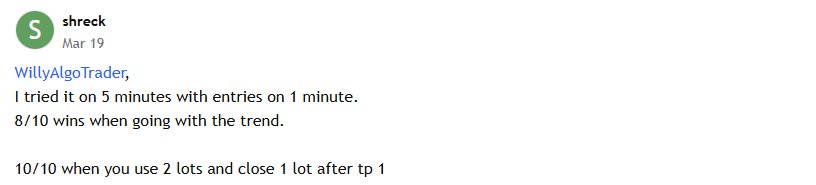
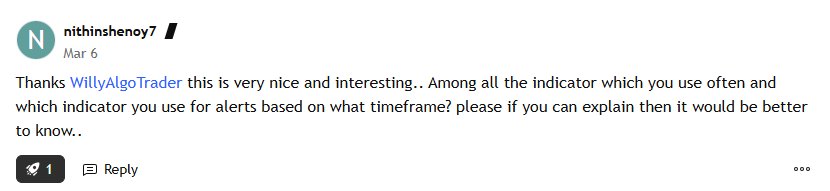
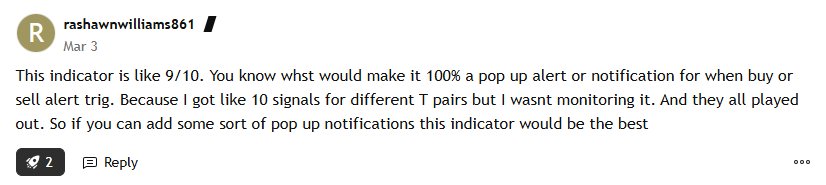
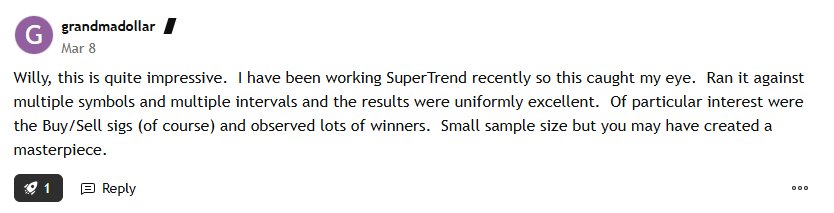
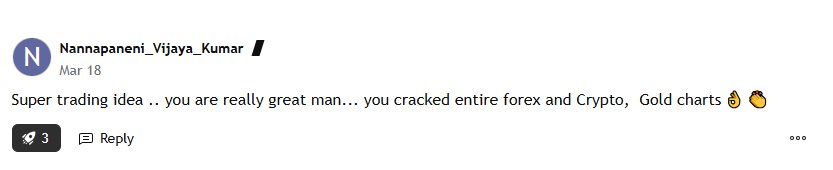
They Doubted It Too. Then They Tried It.
Unedited reviews from TradingView — traders using WillyAlgoTrader indicators on crypto, forex, gold, and multiple timeframes.
Screenshots from TradingView comments · Unedited
Trader Assistant Pro · User Guide
⚡ Quick Start
Trader Assistant Pro User Guide
The indicator automatically detects 1-2-3 patterns, draws Entry / SL / TP, calculates position size, and manages trades with a trailing stop. Here's how to read everything on the chart.
Timeframe5m–4h
MarketsCrypto · Forex · Stocks
StyleIntraday / Swing
01
What the indicator draws
Three groups of objects appear on the chart. Understanding what each one means is the key to everything else.
📐
Pattern
Points 1 · 2 · 3, the lines connecting them, the yellow OTE zone (0.618–0.786), and the dotted 0.705 line.
🎯
Trade levels
Entry · SL · TP1 / TP / TP2 + the green Target Zone.
📊
Analytics
Volume Profile with POC, trailing stop, Dashboard on the right, alerts, and ✓/✗ result icons.
02
The 1-2-3 pattern — how it forms
The indicator detects patterns in two stages. This is so you can see the formation early, not after the fact.
STAGE 2
Early formation
Only points 1 and 2 are visible. Labels are semi-transparent, the line is dashed. The trade opens already — but at a lower score. The minimum 1→2 wave length is controlled by Stage 2 Min Wave (× ATR), default 0.8.
STAGE 3
Full pattern
Point 3 has been added. Labels are now solid, the line is solid. Under point 3 you'll see Long ▲ or Short ▼. This is the pattern confirmation.
Score ≥ Min Pattern Score — every pattern gets a 0–100 score (default minimum 30). The formula considers: retracement proximity to 0.618 Fib, wave size in ATR, and pivot geometry. Weak patterns are filtered out automatically.
Filters against low-quality patterns:
· Max Wave Size (× ATR) — rejects patterns with huge waves after squeezes (default 8×).
· Max Trade Duration (bars) — force-closes a trade after 100 bars if neither SL nor TP has triggered.
03
Trade levels — what goes where
As soon as a pattern is detected, the indicator immediately opens a virtual trade. Entry = close of the current bar. All levels are calculated from the 1-2 wave.
Entry · 0.5 Fib retracement
Solid blue line. The entry level, based on OTE logic.
SL · 0.886 Fib
White/black line below the yellow OTE zone. A break past 0.886 = stop.
TP1 · Point 2
First target = the level of point 2 itself. Dashed green line.
TP (main) · 0.5 extension
The main target — this is what statistics are based on.
TP2 · 0.272 extension
Extended target — for those who take partial profit at TP and let a runner ride.
Target Zone — the green semi-transparent box between TP1 and TP. The % profit from Entry is displayed at its center. To the right of the chart — two info panels with the full trade summary: direction, Stage, Score, RR, position size, Max Loss, Discount/Premium zone.
04
Visual cues
A handful of small elements that make decisions much easier.
●●●
Quality Dot
A dot above/below the entry bar. Green = Score ≥ 60 and trend aligned. Yellow = Score ≥ 40. Red = weak signal. Hover for details.
• • •
Pullback Dots
Black/white dots on the 0.5 · 0.618 · 0.705 · 0.786 fibs whenever price touches a level inside the OTE. They tell you where the retracement currently is.
Volume Profile
Horizontal bars between point 1 and the end of the trade. The orange POC marks the highest-volume level — a key support/resistance.
✓✗
Result Icons
After a trade closes, the bar shows ✓ (win / BE / +1R / +2R) or ✗ (loss). These results feed into the Winrate on the dashboard.
05
Trend Bands & direction filter
The channels around the center line are Kaufman AMA ± ATR × deviation. Channel color reflects the current trend direction.
Bullish
Price has broken above the upper band. Longs allowed, shorts blocked.
Bearish
Price has broken below the lower band. Shorts allowed, longs blocked.
Trend Filter (setting) has three modes:
· Off — trades both directions.
· Trend Bands — only in the direction of the bands (recommended).
· Swing Structure — only in the direction of the SME swing trend.
Additionally, the dashed HTF KAMA (default 60m) shows the higher timeframe trend.
06
Risk Manager — position sizing
The indicator calculates the exact position size for every trade and shows it on the dashboard and in the info panel next to the chart. Two modes.
Risk-based default
Allocation = the amount you're willing to lose if SL hits. Position size = Allocation ÷ (Entry − SL).
Fair Value Gaps — boxes where the market left a "gap". Once mitigated, an FVG can turn into an iFVG (inverted). 7 mitigation modes — from "wick touched" to "half body filled".
SME can be plugged into the Trend Filter (Swing Structure mode) — then 1-2-3 will only fire in the direction of the current swing trend.
11
Alerts — notifications
When Point 2 is detected, a rich alert fires with everything you need: